One of the biggest pain points in the CarBuilds event workflow was something many users ran into almost immediately. You were documenting a repair, upgrade, maintenance job, or installation, ready to create a timeline event around it — but then came the problem: the parts or expenses had to exist beforehand. If they were not already added to the project, there was simply no way to attach them during the event creation process.
That meant interrupting your workflow, leaving the event screen, creating the expense or part separately, then navigating all the way back and starting over. In practice, this became a frustrating blocker for many users, especially when trying to quickly document work while it was actually happening.
We knew this flow had to change.
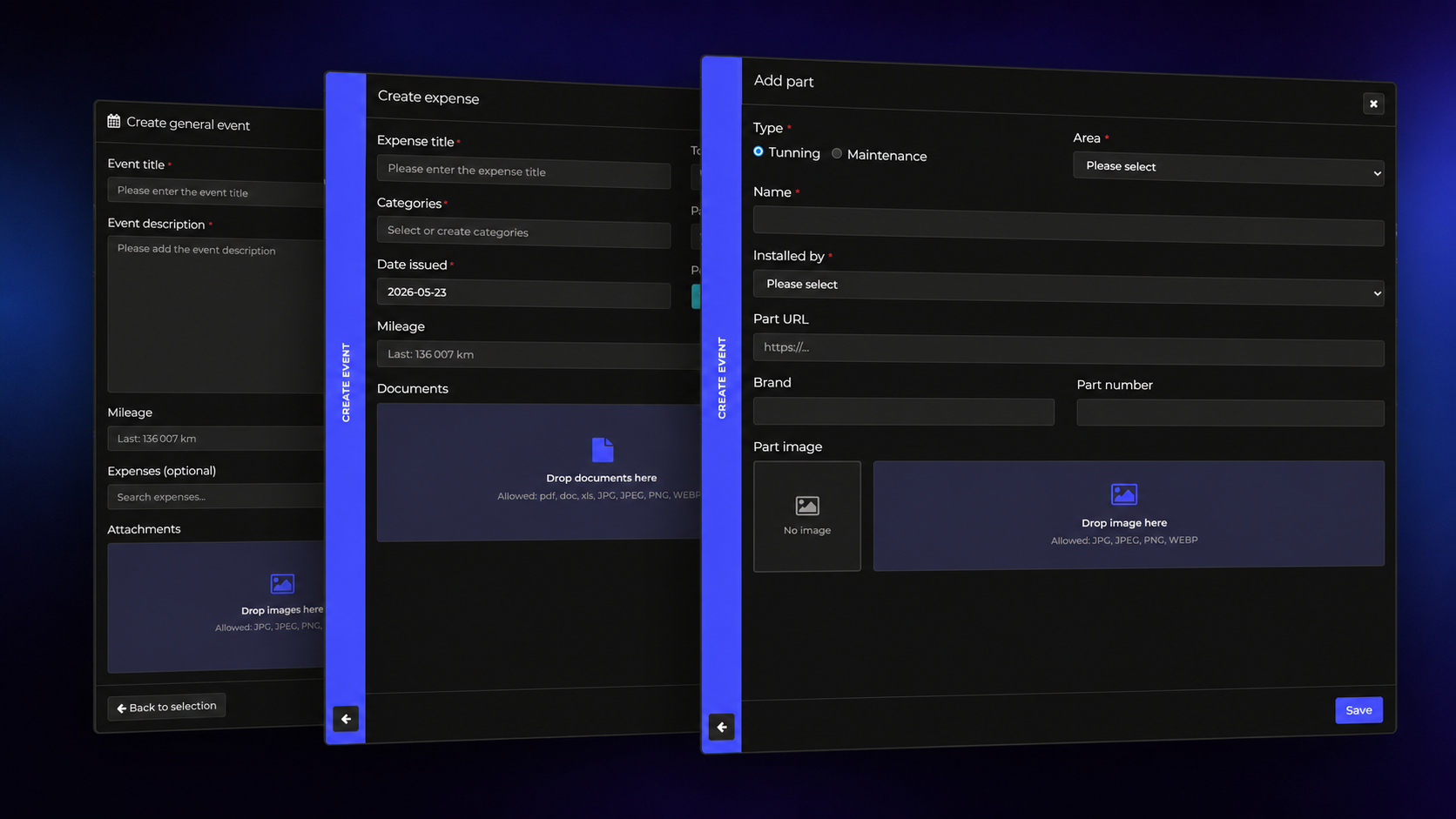
With the latest update, parts and expenses can now be created directly from the Event Add/Edit screen itself. Instead of forcing you to leave the event flow, the expense or part form now smoothly slides in from the right side of the screen whenever you want to add something new.
The experience feels much more natural and keeps the context of what you are working on. You stay inside the event creation process the entire time, while still being able to create all the linked records you need. Once the new part or expense is saved, it is automatically attached to the event you are editing. No extra searching, no manual re-linking, and no duplicated work.
This change might sound small at first glance, but it fundamentally improves how quickly projects can be documented. Adding timeline entries should feel fluid and uninterrupted, especially when users are often entering multiple modifications, purchases, or maintenance steps one after another.
We also paid attention to navigation during this redesign. Since the part or expense form opens as a layered view, it was important to make returning to the event simple and obvious. You can now jump back instantly either by using the back button in the horizontal navigation bar or simply by clicking the bar itself. The transition keeps your progress intact and makes the whole experience feel far less disruptive.
Our goal with CarBuilds has always been to make documenting a build feel effortless instead of administrative. This update is a major step toward that. The platform should adapt to the natural way enthusiasts work on their cars — not force them into rigid workflows that slow them down.
We are continuing to refine the Event system based on real-world usage and feedback from the community, and this improvement was one of the most requested usability fixes so far.